
Testing the assistant
Test chat, test enquiry and how to judge answers before publishing.
- Under My assistant on the right, find “Test your assistant”. It appears once the name and services are saved.
- Write like a customer: “How much is …?”, “Are you open on Saturday?”, “I’d like to book”.
- If an answer is inaccurate, add to the fields, press Save and press “Start a new test conversation”.
- Try an enquiry: write a name and phone number. Result: an e-mail arrives at your enquiry address marked TEST.
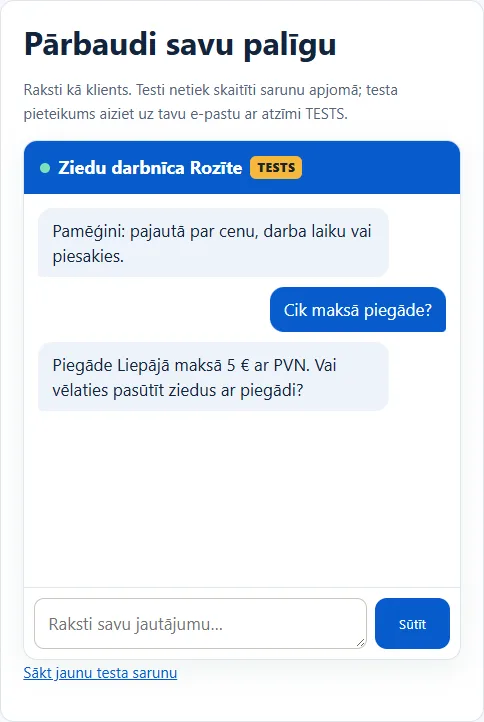
Test conversations don’t use your customer conversation allowance. You can see them under Conversations and enquiries → My tests.