
Creating your first assistant
From logging in to an assistant that answers customers — step by step.
You set up the assistant yourself under My assistant. It takes about 10–15 minutes.
- Log in. On the home page press “Try for free”, enter your e-mail and open the link we send you. No password needed. Result: “My assistant” opens.
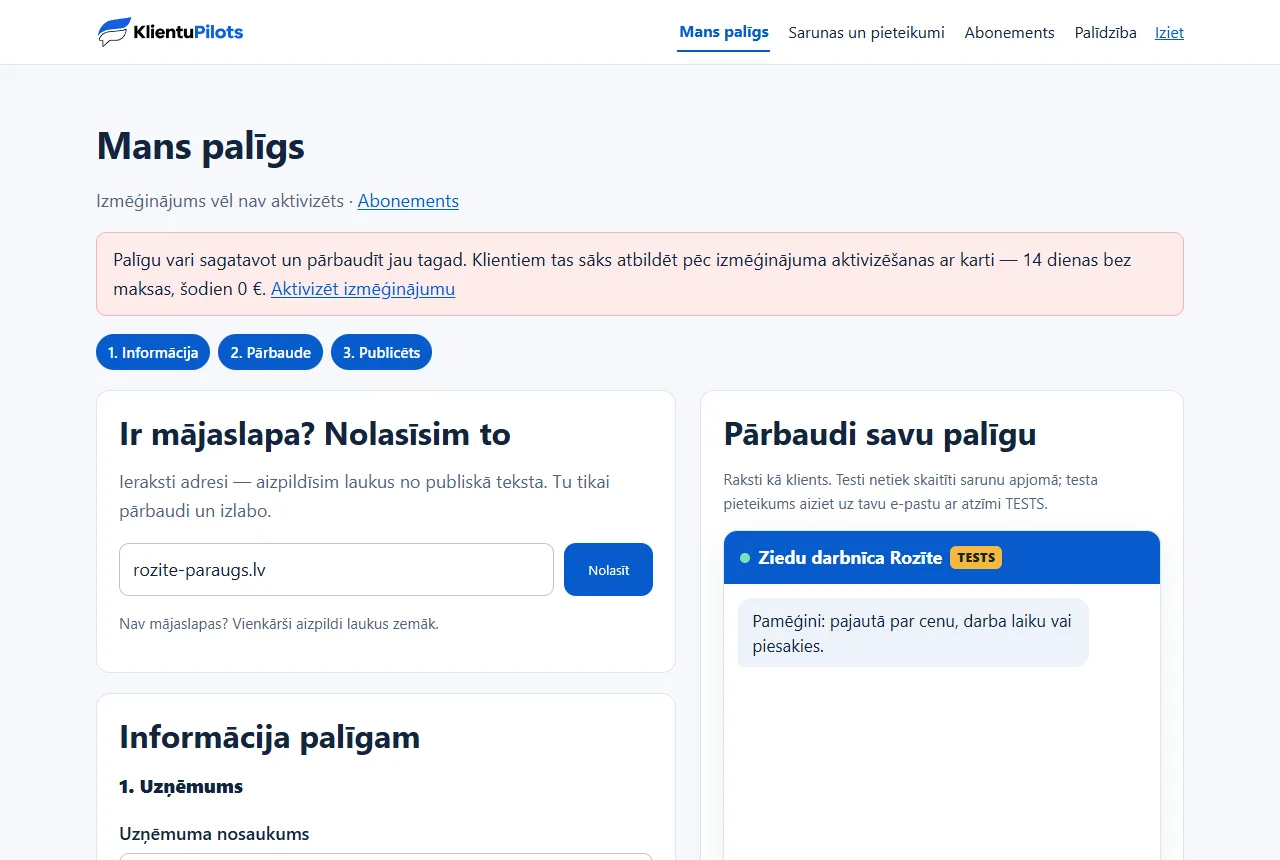
- Enter your website. In the “Have a website? We’ll read it” field enter the address and press Read. Result: the five information fields fill in automatically. If you have no website, fill them in by hand.
- Check the fields and press “Save”. Correct anything inaccurate — the assistant answers only from this data.
- Test the assistant. On the right, in “Test your assistant”, ask a couple of customer questions. Your tests don’t use your allowance.
- Publish. In the “Publishing” card press Publish. Result: you get a link for customers and a line of code for your website.
- Activate the trial. Under Subscription choose a plan and add a card. Today’s payment is €0; the assistant starts answering customers. Without activation customers only see a contact form.
Want to see a ready assistant first? In the welcome card open “First see how a ready assistant works”.
Related articles
- The five information fieldsWhat to enter in each field so the assistant answers accurately.
- Reading your website and correcting informationHow “Read” works and what to do if a page can’t be read.
- Price list, VAT and opening hoursHow to enter prices so the assistant doesn’t mix up VAT or promise extra things.
- The assistant speaks your customer’s languageCustomers write in Latvian, Russian or English — the assistant replies in the same language.